BiblioFuse Reader
Version 2.0.1 - native on iPhone, iPad & Mac

Your library,
read your way.

BiblioFuse is a native reader and library manager for personal ebook, comic, and document collections across iPhone, iPad, and Mac.

Download on the App StoreGet it on Google PlayGet it from Microsoft
iPhoneiPadMacVision ProApple TVAndroid phoneAndroid tabletAndroid TVWindowsDockerSynology
Learn more →
No adsNo trackingOn-device processing

App UI: English · Spanish · French · Dutch · Portuguese · Russian · Simplified Chinese · Japanese · Korean · Indonesian · Malay

Download from official sources only.BiblioFuse is exclusively distributed via Apple App Store, Google Play Store and Microsoft Store. Never download from unofficial websites.
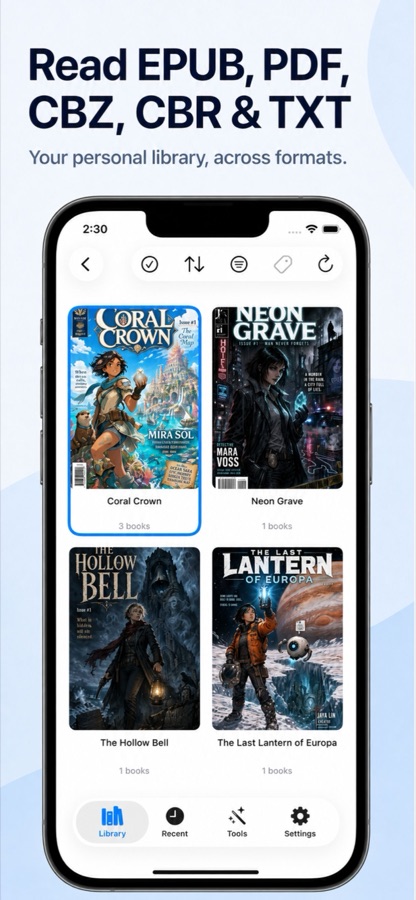
BiblioFuse library on iPhone
ReadsEPUBPDFCBZCBRRARZIPTXT
iOS · macOS · Windows
GrepTag Reader

Search. Tag. Own your library.

GrepTag Reader searches the actual text inside your EPUB and TXT files — no manual metadata, no ISBN entry. Type a keyword and every matching book surfaces instantly. Tag by genre, filter with AND logic, sync over Wi-Fi.

iPhoneiPadMacWindows
Download on App StoreGet it from Microsoft
iOS, macOS, and Windows available now
No manual metadata or ISBN neededNo server, no uploadsCJK text supported

App UI: English · Spanish · French · Dutch · Portuguese · Russian · Simplified Chinese · Japanese · Korean · Indonesian · Malay

Explore GrepTag Reader →
GrepTag Reader reusable AND/OR/NOT grep profile screen on iPhone
Why two apps?

Different libraries need different tools.

BiblioFuse Reader is built for large image-heavy comic files — stream from Mac or PC, compress in-app. GrepTag is built for small text files that fit entirely on device — grep, tag, sync any direction.

BiblioFuse Reader
GrepTag Reader
Best for
Comics, manga, PDF
EPUB, light novels, TXT
File size
50–300 MB per volume
Under 5 MB each
Storage design
Stream from Mac or PC · compress in-app
Store on device · sync any direction
Key features
Compress, merge, stream, auto-backup
Full-text grep, tags, TXT covers, Wi-Fi sync
Formats
CBZ, CBR, PDF, EPUB, TXT
EPUB, TXT
The BiblioFuse family

One ecosystem.
Tools for owning your files.

Built by Modern Logic Tech Solutions for readers and collectors who keep their library on their own devices - not behind someone else's login.

BiblioFuse ReaderFlagship

BiblioFuse Reader

Native reader & library manager for personal e-book and comic collections.

  • EPUB, PDF, CBZ, CBR, RAR, ZIP & TXT
  • Tags, ratings, progress & bookmarks
  • iCloud sync & live streaming from Mac or PC
BiblioFuse Web ToolFree

BiblioFuse Web Tool

Convert, merge and compress e-book files in your browser - no install, fully on-device.

  • EPUB / PDF / CBZ / ZIP merge & convert
  • Powered by WebAssembly - 100% private
  • Works on any platform with a browser
Comic Duplicate ScannerMac · Windows

Comic Duplicate Scanner

Finds and removes duplicate comic book archives, photos, and files - even when renamed, recompressed, or saved in different folders.

  • Perceptual hashing for CBZ/CBR/ZIP/RAR
  • Smart auto-select & safe-delete to Trash
  • Hash cache for fast repeat scans
  • Available in 11 languages
SmartDecrypt PDF ZIPiOS · Mac · Windows

SmartDecrypt PDF ZIP

Unlocks password-protected PDFs and archives using saved filename patterns.

  • PDF, ZIP & 7z support
  • Pattern match for recurring files
  • Passwords stored in system Keychain
  • Available in 11 languages
ContentCueiOS Only

ContentCue

All-in-one browse, read, and listen app: RSS reader with audio briefings, podcast player, website text-to-speech, and iCloud sync.

  • RSS reader with audio briefing of unread headlines
  • Podcast player with offline downloads
  • Website text-to-speech with background playback
  • Available in 11 languages
GrepTag ReaderiOS · Mac · Windows

GrepTag Reader

Full-text search, tagging, and organisation for EPUB and TXT libraries.

  • Grep with AND / OR / NOT logic
  • Tag by genre · auto-run on import
  • Custom reader — themes, fonts & whole-book search

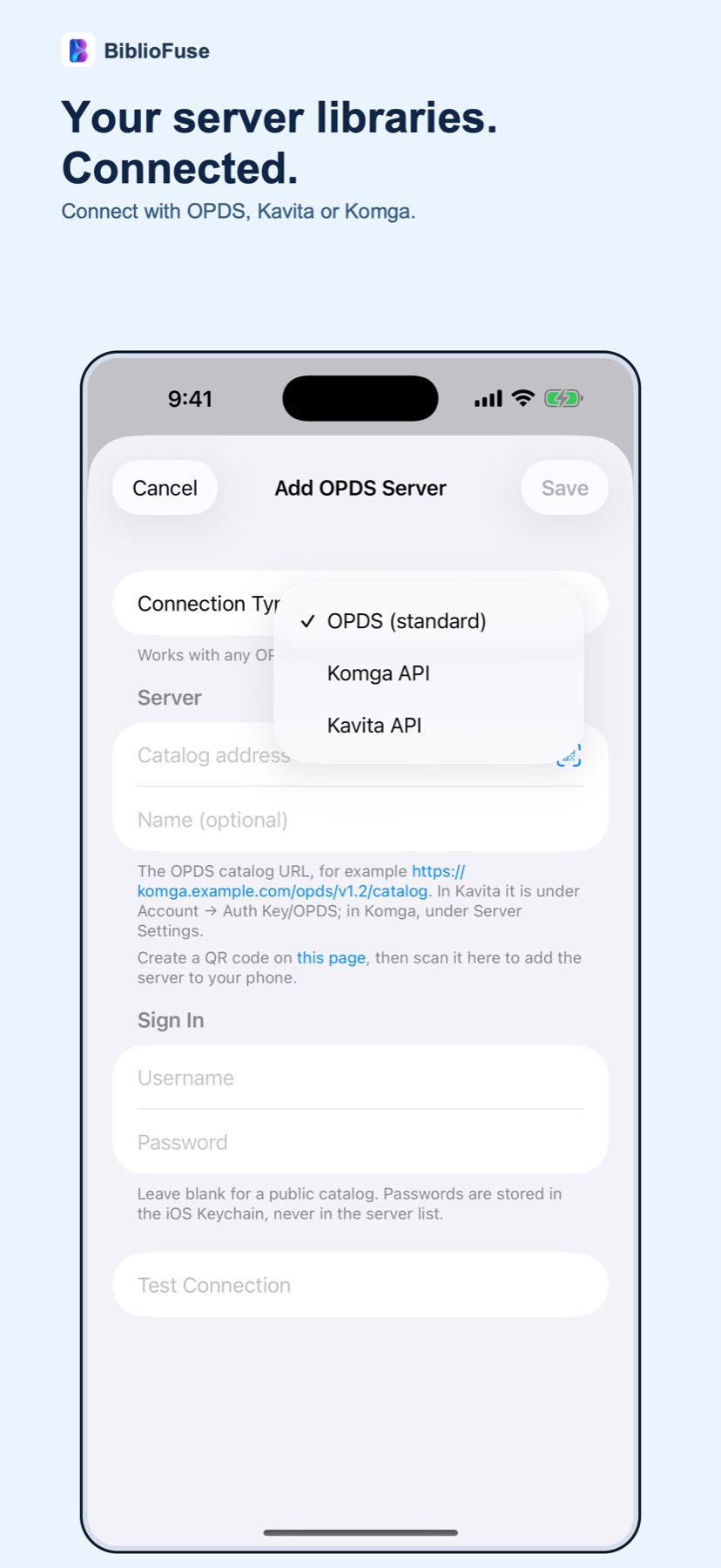
Get easy server setup for Kavita and Komga with the BiblioFuse QR Generator. Open the QR Generator →

Android demand list

Want another BiblioFuse app on Android?

Android releases need a 12-20 person closed test for 14 days. Tell us which app you want and whether you can stay active during the test.

Request Android version
Standalone tools

Focused tools for one-off jobs

BiblioFuse Web
BiblioFuse Web
Free · Browser

Compress and merge EPUB, CBZ, and PDF files in your browser. No install, no account.

Launch free tool
BiblioFuse CBZ Resizer
Windows · Microsoft Store

Compress and merge comic archives on Windows.

Get it from Microsoft
BiblioFuse EPUB Resizer
Windows · Microsoft Store

Compress and merge EPUB files on Windows.

Get it from Microsoft
FAQ

Choosing a BiblioFuse tool

Comic Duplicate Scanner
Sister app · Mac & Windows

Find duplicate archives.
Even after renaming.

Comic Duplicate Scanner finds and removes duplicate comic book archives, photos, and files - even when they have been renamed, recompressed, or saved in different folders.

Comic archive scanningCBZ, CBR, ZIP and RAR using perceptual hashing.
Photo duplicate detectionJPG, PNG, HEIC, WEBP, BMP and GIF.
Smart auto-selectKeep largest, smallest, newest, oldest, or most pages.
Safe deletionMarked files move to system Trash only.
Download Comic Duplicate Scanner on the Mac App StoreGet it from Microsoft

Free usage is available forever for scans up to 1,000 files. A 7-day trial unlocks full access, and a one-time purchase unlocks unlimited use with no subscription.

App UI: English · Spanish · French · Dutch · Portuguese · Russian · Simplified Chinese · Japanese · Korean · Indonesian · Malay

Learn more about Comic Duplicate Scanner →
Comic Duplicate Scanner configure and start scan
Why BiblioFuse

Built on a few simple principles.

No ads

Enjoy uninterrupted reading without advertisements.

No tracking

We do not collect or sell your reading data.

Cloud sync

Sync your library across Apple devices with iCloud.

Smart compression

Reduce file size and save storage without leaving the app.

Start here

Your library. Your device. Your rules.

Start with the Reader. Add the utilities when you need them. Everything stays on-device.

Download on the App StoreGet it on Google PlayGet it from Microsoft