Search. Tag. Own your library.
GrepTag Reader searches the actual text inside your EPUB and TXT files — no manual metadata, no ISBN entry. Type a keyword and every matching book surfaces instantly. Tag by genre, filter with AND logic, sync over Wi-Fi.


App UI: English · Spanish · French · Dutch · Portuguese · Russian · Simplified Chinese · Japanese · Korean · Indonesian · Malay
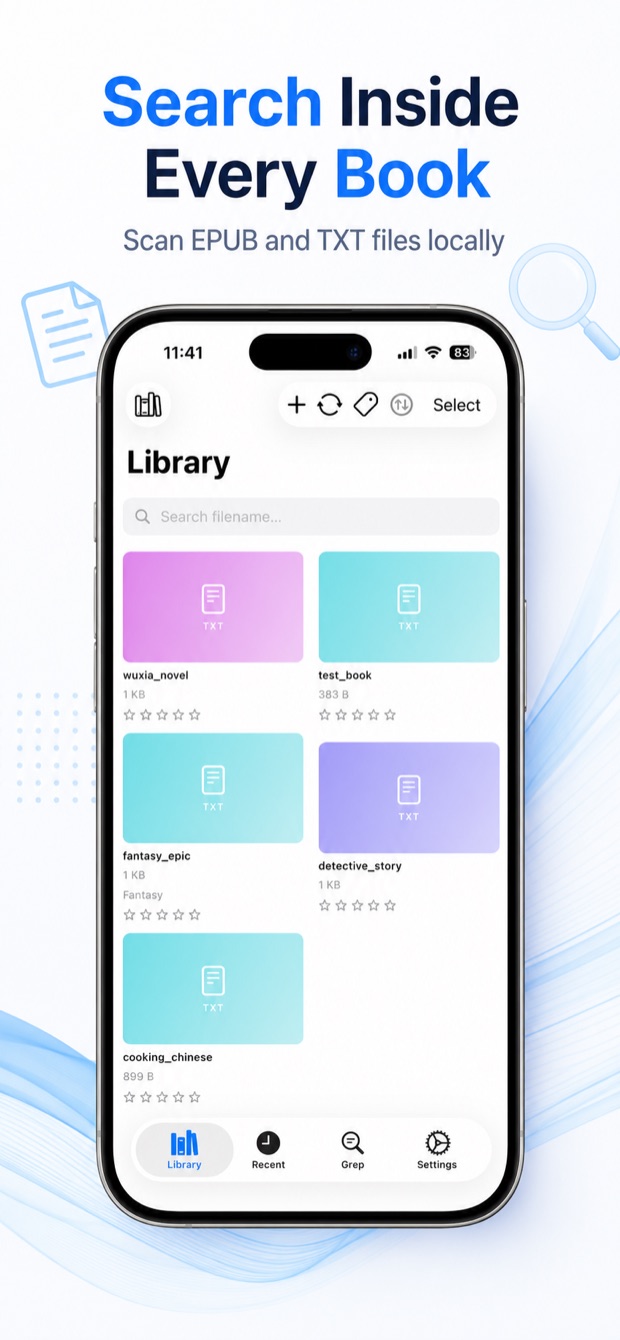
Search the full text of every book.
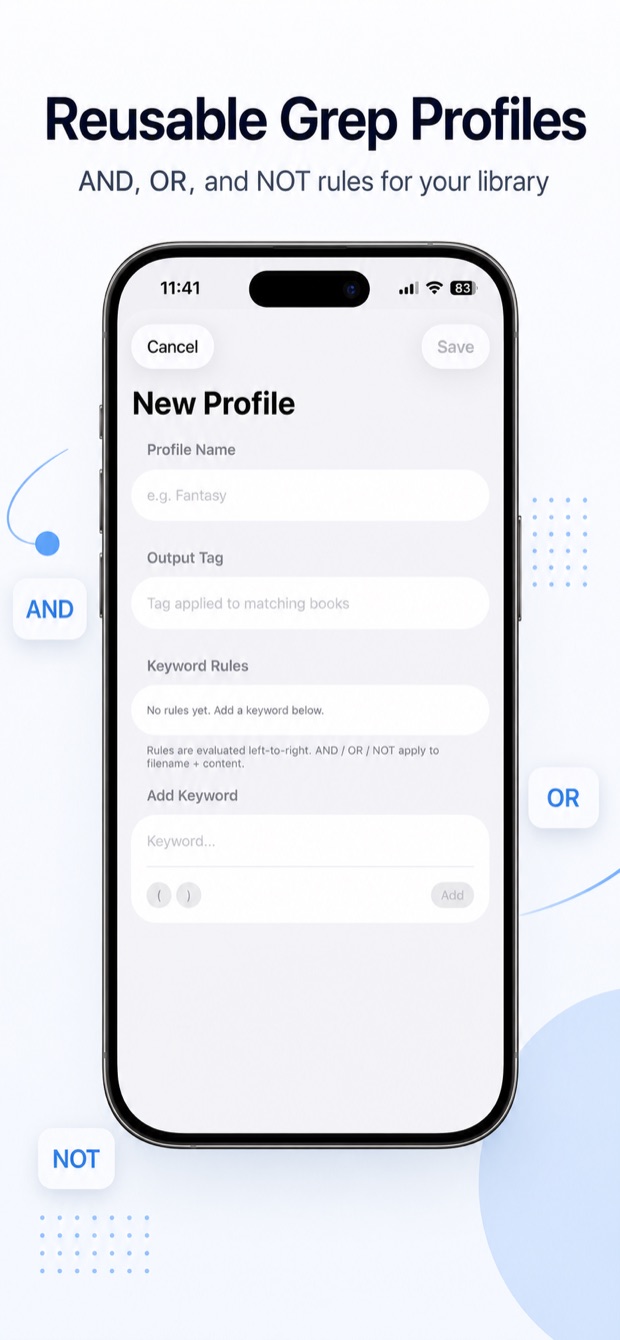
Type any keyword and GrepTag reads directly from your EPUB and TXT files — no index to build, no upload, no manual tagging. Save searches as named profiles with AND, OR, and NOT logic and re-run them as your library grows. New books are tagged automatically on import.
- Boolean logic — "Sci-Fi AND dragons NOT romance"
- Save up to 2 profiles free · Pro unlocks unlimited
- Auto-run on import — new books tagged automatically, no metadata entry needed
Tag by genre. Filter instantly.
Tags come from what is actually inside the book — not from title, author, or ISBN you have to type manually. Apply tags from scan results in one tap. Filter your library using AND logic to find books that match ALL your selected tags at once.
- 5 tags free · Pro unlocks unlimited
- Multi-select tags with AND logic — finds books matching ALL chosen tags
- One-tap tagging straight from search results — no forms to fill
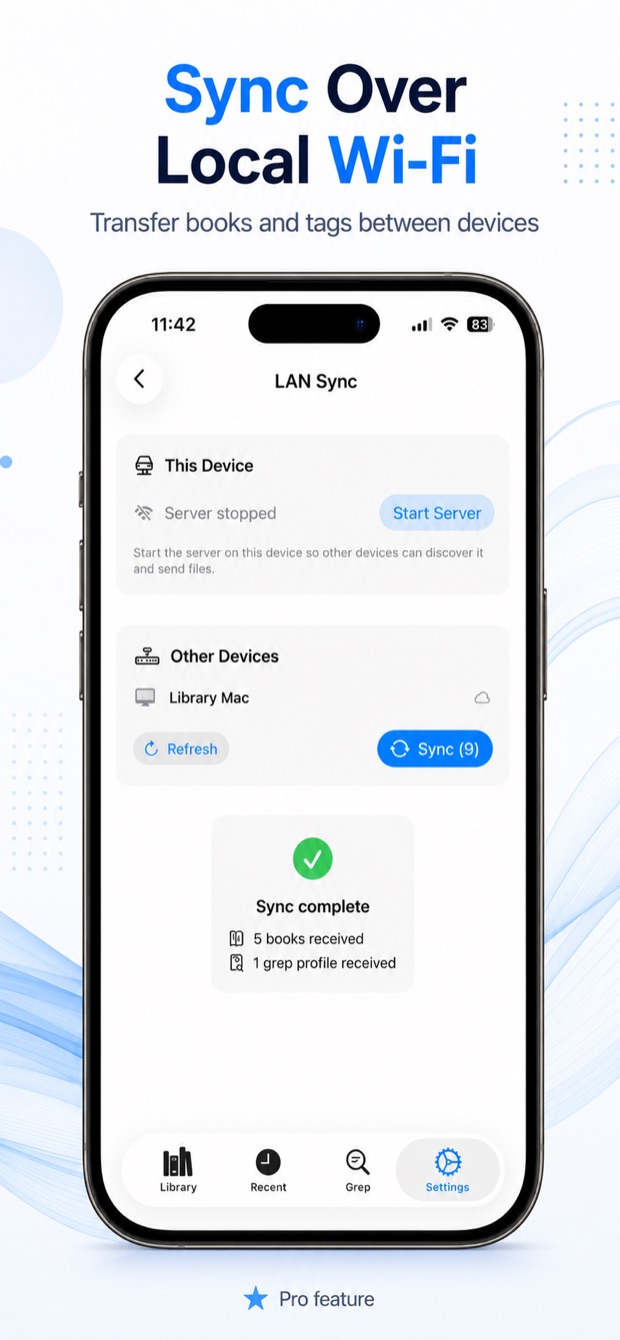
Sync over local Wi-Fi, with iCloud-assisted discovery.
Transfer books, tags, ratings, keyword profiles, and folder structure between iPhone, iPad, Mac, and Windows over your local network. All Apple devices must be signed in to the same iCloud account — iCloud is used only for device discovery (a tiny metadata snapshot), not for uploading your books. Book files transfer over Wi-Fi only and never leave your local network.
- Mac / PC ↔ iPhone / iPad, iPhone ↔ iPad, Mac ↔ Mac, PC ↔ PC
- Books, tags, ratings, keyword profiles, and folder hierarchy sync across devices
- Pro feature — all Apple devices must share the same iCloud account
Visual library. Built-in reader.
GrepTag Reader supports cover thumbnails for EPUB and TXT libraries, including image-cover support. EPUB covers are extracted automatically. For TXT books, covers are matched from images in the same folder or fetched by pasting a URL. Read EPUB and TXT in the built-in reader with TTS, bookmarks, and adjustable fonts.
- EPUB covers extracted automatically (free)
- TXT covers from same-folder images or URL (Pro)
- TTS with volume control · bookmarks · chapter navigation
Make the reader yours.
Tune the reader to your eyes on iPhone, iPad, and Mac. Pick from Sepia, Gray, and Black (OLED) themes, choose a typeface with a live preview — or import your own font — and adjust brightness, alignment, and bold. Search the whole book you're reading, not just the current chapter.
- Sepia, Gray, and Black (OLED) themes on iOS and macOS
- Typeface picker with live previews — Iowan, Charter, Kaiti, CJK-aware serif, and more — or import your own .ttf/.otf font
- Brightness, text alignment, and bold — plus whole-book search and a macOS find bar
Free to search. Pro to own.
Different libraries need different tools.
BiblioFuse Reader is built for large image-heavy comic files — stream from Mac or PC, compress in-app. GrepTag is built for small text files that fit entirely on device — grep, tag, sync any direction.
Frequently Asked Questions
What is GrepTag Reader?
GrepTag Reader is a full-text search and tagging app for EPUB and TXT ebook collections on iPhone, iPad, Mac, and Windows. It lets you grep your entire library for any keyword using boolean AND / OR / NOT logic, tag books by genre, and sync your library over local Wi-Fi — all without uploading files to any server.
What's the difference between GrepTag Reader and BiblioFuse Reader?
BiblioFuse Reader is built for large image-heavy comic files (CBZ, CBR, PDF). It streams from Mac or PC, compresses archives, and handles webtoon/manga reading. GrepTag Reader is built for EPUB and TXT text libraries — it offers full-text grep, genre tags, and Wi-Fi sync in any direction. Both are separate apps because the storage model is fundamentally different: comics often need streaming, novels fit entirely on-device.
Is the full-text grep search free?
Yes. Grep scanning is always free and unlimited — you can search your entire EPUB and TXT library for any keyword as many times as you want. Save up to 2 named search profiles for free. Pro unlocks unlimited profiles.
Does GrepTag Reader upload my files to a server?
No. GrepTag Reader reads directly from your local files. Nothing is uploaded to any server — no cloud index, no developer-run backend. Files stay on your device.
What file formats does GrepTag Reader support?
GrepTag Reader supports EPUB and TXT files. It can grep and tag both formats, extract EPUB covers automatically, and match covers for TXT books from same-folder images or a pasted URL (Pro feature).
How many tags can I have for free?
Five tags are included in the free tier. Pro unlocks unlimited tags. You can apply tags from scan results in one tap, or tag books manually and filter by multiple tags using AND or OR logic.
Can I sync my library between iPhone, iPad, Mac, and PC?
Yes. Wi-Fi Sync transfers books, tags, ratings, keyword profiles, and folder structure between any combination of iPhone, iPad, Mac, and Windows PC. All Apple devices in the sync must be signed in to the same iCloud account — iCloud is used only for device discovery, not for storing your books. Book files travel over your local Wi-Fi and are never uploaded to any developer server. Wi-Fi Sync is a Pro feature.
Can I use more than one iPhone or iPad with Wi-Fi Sync?
Yes. Multiple iPhones and iPads can all participate in the same library sync. The iOS version of GrepTag stores paths relative to the app's root folder, so the same path structure works across every iOS device signed in to the same iCloud account.
Should I use Mac or PC as the source of truth for my library?
We recommend keeping one Mac or one PC as your primary library device. GrepTag's metadata tracks three separate path types — PC paths, iOS paths, and Mac paths. iOS works across multiple iPhones and iPads because it uses relative paths. Mac and PC each store absolute paths for their own device, so syncing is most reliable when there is only one Mac and one PC in your setup.
Can my iPhone sync new books back to my Mac or PC?
Yes. If you add a book on iPhone inside a folder that does not yet exist on your Mac or PC, GrepTag will ask you to create the folder and add it to your library list on the receiving device before completing the sync.
How do I search for a specific word or phrase inside my ebook files?
Open GrepTag Reader, go to the Search tab, and type any word or phrase. The app opens each EPUB and TXT file in your library and returns every book that contains your search term — no pre-built index, no upload needed. Combine terms with AND, OR, and NOT for more precise results (for example: "magic AND dragons NOT romance"). Save frequent searches as named profiles that re-run automatically whenever new books are imported. All searching is always free and unlimited.
Does GrepTag Reader need an internet connection to work?
No. GrepTag Reader works completely offline. All searching, tagging, and organising happens directly on your device — the app reads your EPUB and TXT files locally without a server or internet connection. The only time a network is used is the optional Wi-Fi Sync feature, which transfers books between your own devices over your local network.
Can I customize the reader's appearance and fonts?
Yes. Choose from Sepia, Gray, and Black (OLED) themes on iPhone, iPad, and Mac. Pick a typeface with a live preview — including Iowan, Charter, Kaiti, and CJK-aware serif fonts — or import your own .ttf/.otf font. Adjust brightness, text alignment, and bold to match how you like to read.
Can I search inside the book I'm currently reading?
Yes. Whole-book search scans the entire TXT or EPUB file you're reading, not just the current chapter. On Mac, there's a dedicated find bar with the same typeface-preview experience as iOS.
Comics, manga, PDF
← Download BiblioFuse ReaderGrepTag Reader